The list itself was the conversation.
“Planning a beach day with my daughter, who lives 30 minutes away. We share one list — chairs, cooler, ice, sunscreen. She adds “towels” from her place, I see it appear on mine and grab them. Neither of us called or texted “did you get it?”” — how one family uses a shared list
What it is
Turning a personal list into something you share — and why it scales past just the two of you.
Turn any list into a shared one
Tap the share icon on a list you own and it becomes a live list — you get an invite link to send however you'd send a text.
Joining takes one tap
Open someone's invite link and the list appears on your device, already filled in with everything that's already on it.
Built for groups, not just pairs
An invite link can go to as many people as you want. Six friends packing for a campsite can all see the same list, add what they've got, and never have to ask who's bringing the tent.
How it feels to use
What actually happens the moment you — or someone else — changes the list.
When you make a change
The moment you add “towels” or check off “ice,” we tell everyone else on the list — instantly if they have it open, and with a notification if they don't.
When someone else does
If you're looking at the list, updates just appear — like watching someone type. If you're not, we tap you on the shoulder with a notification, and the list is already caught up by the time you open it.
Order is part of the message
Move something to the top because it matters most, and everyone sees it at the top. No flag, no star, nothing to say — where you put it is the message.
Even if nobody's watching, nothing gets lost
Two people share a list, but neither has the app open right now. Here's what happens when one of them makes a change anyway.
Sunscreen gets added
Person A adds it while getting ready, then closes the app. Person B's phone is elsewhere, asleep.
Saved instantly
The change is saved to the shared list the moment it's made — not dependent on anyone else being online to see it.
Already there
Later, Person B opens the app. Sunscreen is just there, with a quiet “Synced” confirmation.
A push notification goes out too — but that's a courtesy, not the mechanism. The list would be correct even if it never arrived.
Staying in control
Live Collaboration is always visible while it's happening, and always easy to step back from.
Know you're connected
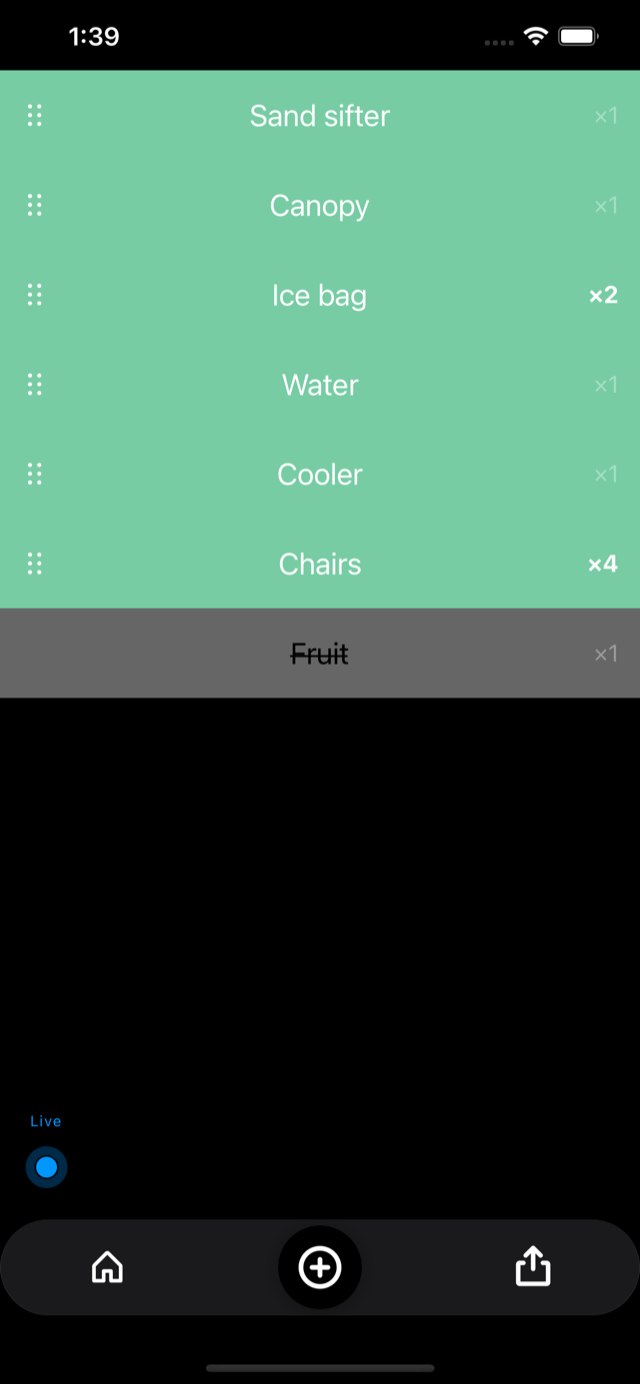
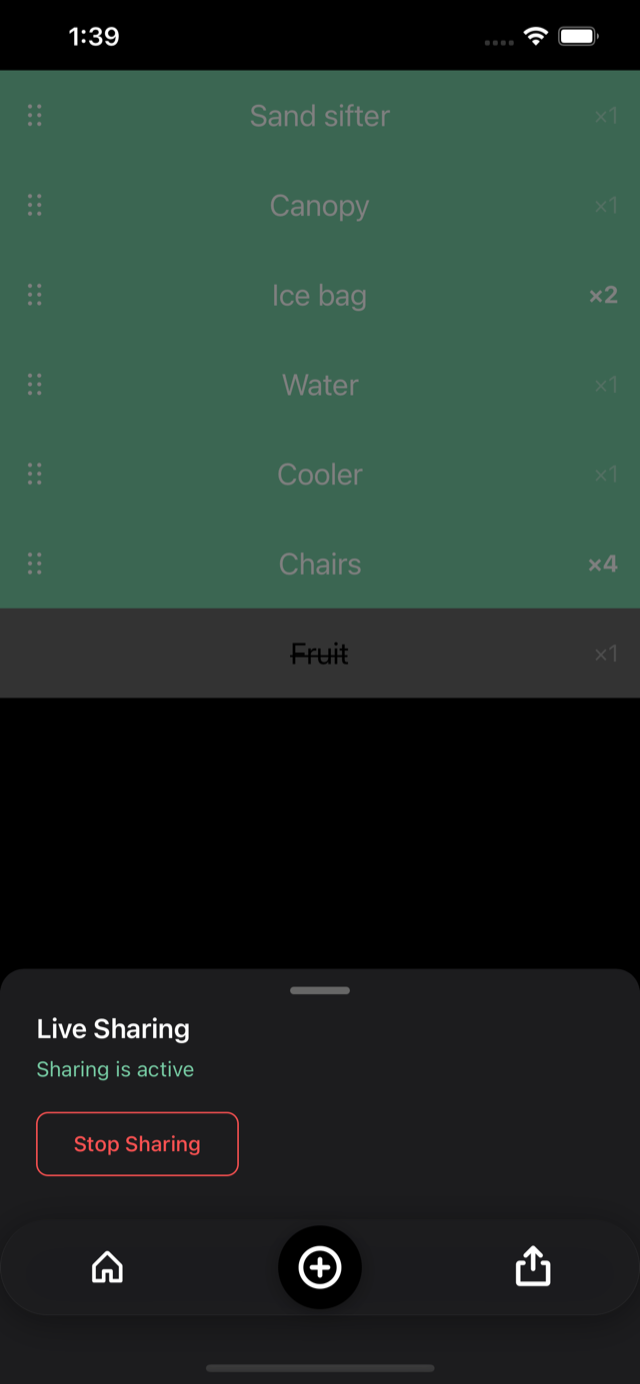
A small pulsing pill in the corner shows you're live while viewing a shared list. Open the Live Sharing sheet to see sharing is active, with a one-tap way to stop it.
Always caught up, automatically
There's no button to press. Opening the app, or just bringing it to the foreground, checks in with the server right away — so the list you see is already up to date.
SyncedStopping a share
The owner can stop sharing, which ends it for everyone. Anyone else can leave on their own — they just stop getting updates.